
About
This mod is a direct adaptation of UT99's single player tournament mode, made to be playable in multiplayer LAN games.
What features are working:
- Profile creation, saving, loading
- Ladder progression
- All gametypes (the tutorials aren't perfect, but they can be completed)
What isn't working:
- The tutorials
- The ending trophy cinematics
Requirements
This pack requires Unreal Tournament and Bonus Pack 1 or Unreal Tournament GOTYE.
Installation
- Extract
UT99MPLadder.u,UT99MPLadder.int, andUT99MPLadderConfig.inito yourUnrealTournament\Systemfolder. - Extract
DM-MPLobby.unrto yourUnrealTournament\Mapsfolder. - Open your
UnrealTournament.inifile in your System folder. - Under
[Engine.Engine], put a semicolon (;) beforeConsole. - Make a new line under the old Console line that says
Console=UT99MPLadder.UT99MPLadderUTConsole - Make sure you have
bPlayersBalanceTeamsandbBalanceTeamsunder[Botpack.TeamGamePlus]to false. - Save your
UnrealTournament.inifile. - Open
UT99MPLadderConfig.ini. - Change all of the
NumExtraPlayersvalues under[UT99MPLadder.MPLDeathmatchPlus],[UT99MPLadder.MPLEnemyBrowser],[UT99MPLadder.MPLTeamBrowser],[UT99MPLadder.MPLObjectiveBrowser],[UT99MPLadder.MPLCTFGame],[UT99MPLadder.MPLDomination], and[UT99MPLadder.MPLAssault]to however many people will be joining your game.
If only 2 people (including yourself) will be playing, leave the file as it is. If 3 people (including yourself) will be playing, set NumExtraPlayers to 2, and so on.
If you have OldSkool Amp'd enabled, you might have to turn it off. I don't think it causes major problems, but it wouldn't hurt.
Starting a new game
- Open Unreal Tournament
- Select the Multiplayer tab and then select "Start New Multiplayer Game."
- Set the game type to Tournament Lobby (New Game).
- Press the Start button. Do NOT host a dedicated server, as it will not work.
- Once the game has started, have the other players join. The number of extra players that join your game MUST match the
NumExtraPlayersvalue in yourUT99MPLadder.inior else bots won't spawn. - Press your Objectives button (F3 by default) and make your character as you would in a regular single player game. Do not exit any of these menus or you'll have to make a new profile again.
- Choose which match you want to play.
- Complete a match either by winning or losing.
Saving your progress and continuing
- After completing each match, you and your fellow players will be taken to a lobby map.
- Once in the lobby game, press your Objectives button to save your progress and continue your progress. If you don't want to keep playing, you can exit as long as you have saved.
Loading a saved tournament
- Open Unreal Tournament
- Select the Multiplayer tab and then select "Start New Multiplayer Game."
- Set the game type to Tournament Lobby (Load Game).
- Press the Start button. Do NOT host a dedicated server, as it will not work.
- Once the game has started, have the other players join.
- Press your Objectives button to open the list of your saved profiles.
- Choose whatever profile you want. If you picked the wrong one, press your Escape key to exit the menu and then press your Objectives button again to choose another profile.
- Select and start a match as you normally would.
Cheating
While in a Deathmatch, Assault, CTF, or Domination game, you can unlock all of the matches by opening your console (press TAB or ~), type "AdvanceAll" without quotes, and press enter.
Known issues
- The "You are on TEAM" messages don't display your team. This is because of a workaround to get bots to be on the correct teams.
- The log will be spammed with errors and warnings until all of the bots are spawned.
- Mutators are not supported.
- Custom teams and maps are not supported.
- This whole thing is a pain to install.
- Your player name doesn't change based on what profile you load like it does in single player.
- Some servers might not accept the custom console, so you'll have to follow step 2 in the Uninstalling section if you want to play online again.
- Dying while in the Load Game and Transition lobbies can prevent you from saving your progress. The lobby map has no hazards and players are invincible, so just don't use the suicide command and you should be fine.
- Other players are forced to be red in Deathmatch games
- The tournament menu doesn't always display the loaded profile's match history.
- Using tab or opening the console and typing the ShowObjectives command will cause a visual error and make the player unable to exit normally. This is a problem with UT's menu system.
- Teams do not balance in team games, which means that red team will always outnumber blue team.
- The CTF HUD doesn't show the team scores.
Contents
Included Maps (1)
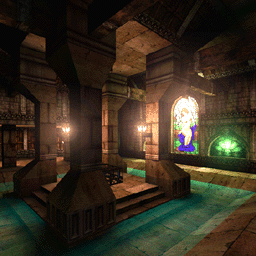
DM-MPLobby
Death Match Tutorial by Shane Caudle
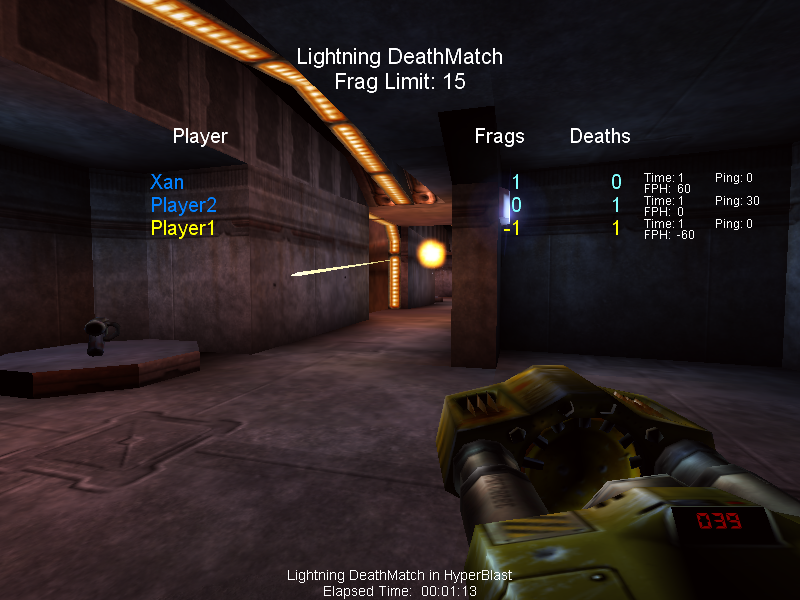
Screenshots
Information
A direct adaptation of Unreal Tournament's single player tournament ladder, made playable in multiplayer LAN games. Profile creation, saving, loading and ladder progression all work, across every stock gametype.
2017-03-22